What the iOS 26.4.1 Update Actually Fixes
The iOS 26.4.1 update is not a flashy feature release. It is a maintenance update focused on stability, security behavior, and bug fixes. That usually means many users will not notice anything dramatic after installing it, but the update can still matter a lot if your iPhone was affected by syncing problems or if you want stronger theft-related protection enabled more aggressively by default.
What makes this release interesting is that the iOS 26.4.1 update appears to do two practical things that matter in daily use. First, it pushes Stolen Device Protection into a more active default state on updated devices. Second, it resolves the iCloud sync issue that some users and developers noticed after iOS 26.4. For most people, that makes this a quiet but worthwhile update rather than an optional one to ignore.
Why the iOS 26.4.1 update matters
Not every iPhone update needs to introduce new tools, new apps, or visual changes to be important. Some of the most useful updates are the ones that stop things from breaking in the background. That is the role of the iOS 26.4.1 update.
A lot of smaller releases exist mainly to correct problems introduced in a previous version. In this case, the update is more about trust and reliability than about new features. If your iPhone depends heavily on iCloud syncing across devices, or if you care about stronger anti-theft security behavior, this version is more important than its small version number might suggest.
Stolen Device Protection is the headline security change
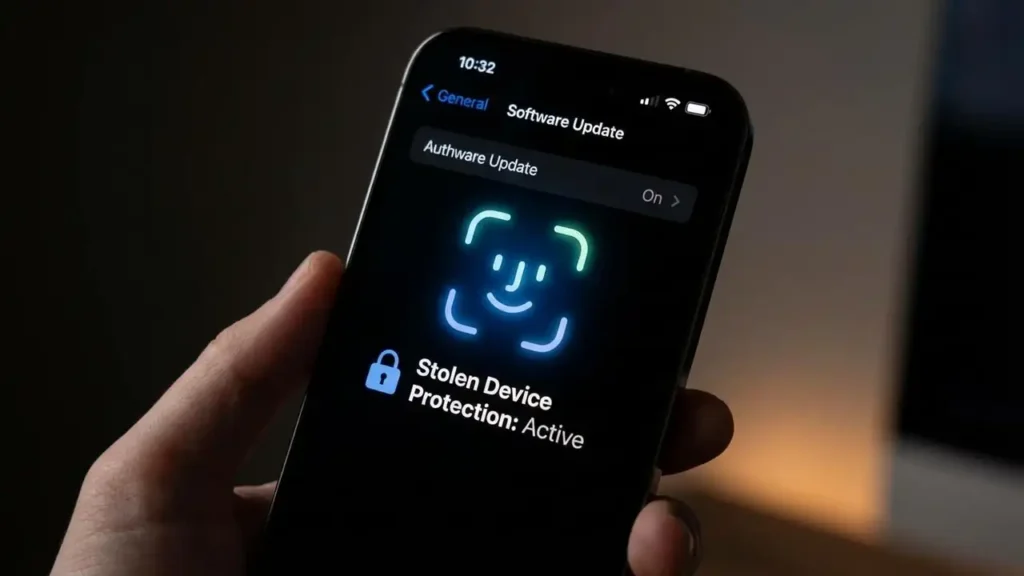
One of the biggest talking points around the iOS 26.4.1 update is Stolen Device Protection being turned on more aggressively by default. That matters because this feature is designed to make it harder for someone to take over your iPhone and change sensitive account or security settings after stealing the device.
In practical terms, Stolen Device Protection adds stricter security checks around high-risk actions. That can include requiring biometric authentication for sensitive changes and, in some cases, forcing a security delay before critical settings can be altered. The goal is simple: if someone steals your phone and knows your passcode, they still should not get easy access to your most important security controls.
That makes the iOS 26.4.1 update more meaningful than a routine bug patch. It strengthens the chance that more devices end up with this protection active instead of leaving it off quietly in the background.
The iCloud sync fix may matter even more to some users
For many people, the more practical reason to install the iOS 26.4.1 update is the iCloud sync fix. Sync issues can be easy to overlook at first because they do not always look dramatic. Your device still turns on, apps still open, and files may seem normal for a while. The real problem appears when changes stop moving correctly between devices.
That can affect notes, app data, passwords, shared information, and other content that depends on Apple’s syncing system. When that happens, users can end up seeing outdated information on one device and newer information on another. In some cases, it feels like the phone is working normally when it really is not.
That is why the iOS 26.4.1 update matters even if Apple’s public description sounds brief. A sync problem is not just a small annoyance. It can affect daily work, saved changes, and confidence in the entire Apple ecosystem.
Why Apple described it so briefly
Apple often keeps small update notes simple. That can make a release seem unimportant even when the real impact is bigger than the wording suggests. The public summary for the iOS 26.4.1 update is short and generic, which is common for point releases focused on fixes rather than features.
That does not mean the update is empty. It usually means Apple is not turning the release into a marketing event. In practice, these smaller versions are often the ones that quietly correct the issues people notice only after a previous release has been out for a while.
So if the iOS 26.4.1 update looks boring at first glance, that is not necessarily a bad sign. It usually means Apple wants the update to stabilize the system rather than draw attention to it.
Should you install the iOS 26.4.1 update right away?
For most users, yes. This is the kind of release that is usually worth installing sooner rather than later. It is especially relevant if you experienced odd iCloud behavior after iOS 26.4, noticed apps not reflecting recent changes, or simply want the stronger default theft-protection behavior in place.
The only users who might pause briefly are those who prefer to wait a day or two after any update just to watch for early feedback. That is a reasonable habit. But this does not look like a release centered on risky new features. It looks like a fix-focused build, and those are usually the updates that improve reliability rather than hurt it.
For most iPhone owners, the iOS 26.4.1 update is better understood as a repair and hardening release, not as a gamble.
What you should expect after updating
Do not expect a new design, major interface changes, or obvious new tools after installing the iOS 26.4.1 update. This is the sort of release that does its job quietly.
What you should expect instead is a more stable experience. That may mean fewer syncing issues, better confidence that security protections are active, and the usual small corrections Apple rolls into its maintenance builds. The update is more about what stops going wrong than about what suddenly looks new.
That is often the best type of update. It lets the phone behave more predictably without forcing you to relearn anything.
Frequently Asked Questions
The iOS 26.4.1 update may not look exciting on paper, but it is exactly the kind of release that keeps an iPhone dependable. By tightening Stolen Device Protection behavior, correcting the iCloud sync issue, and bundling routine bug fixes, it does the quiet work that makes the system feel normal again.