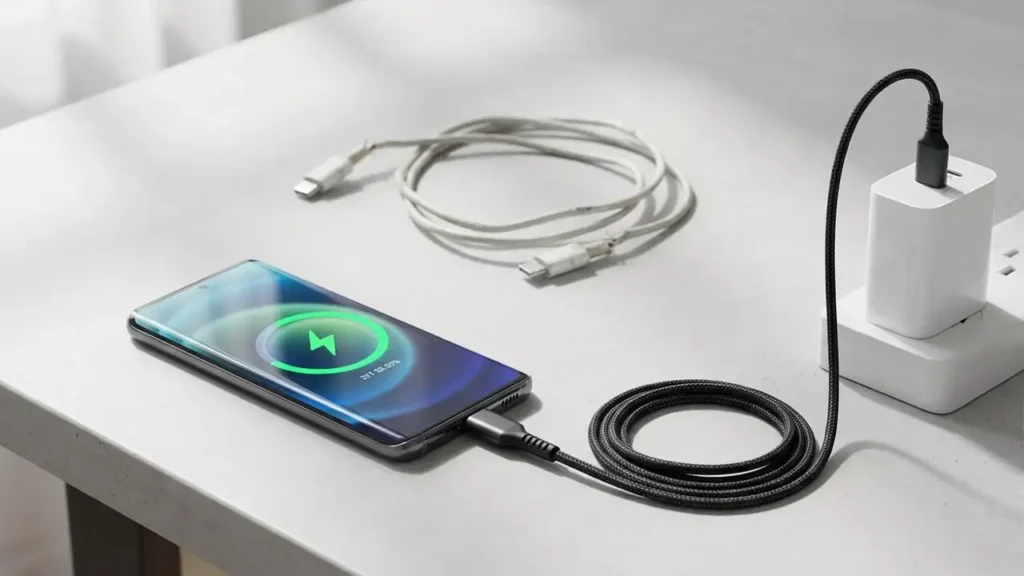
How to Fix Slow Charging Phone and Dying Battery Issues
Addressing common charging problems for your smartphone.
Experiencing a phone charging so slow and dying fast can be incredibly frustrating, leaving you tethered to a wall outlet and constantly worried about battery life. If you’re wondering why is my phone charging so slow and dying fast or how to fix slow charging phone, you’re not alone. This guide will walk you through a series of practical steps, from simple hardware checks to optimizing software settings, to help restore your phone’s charging speed and improve its battery performance.
Many factors can contribute to your phone’s slow charging, ranging from worn-out accessories to background app activity or even an aging battery. Identifying the root cause is the first step towards a solution. We’ll start with the most common and easiest fixes, progressing to more in-depth troubleshooting that will explain how to fix slow charging phone.
Initial Hardware Checks for How to Fix Slow Charging Phone
The most frequent culprits behind slow charging are often related to your charging hardware. Before diving into complex settings, inspect your physical components thoroughly. These checks are crucial for understanding how to fix slow charging phone efficiently.
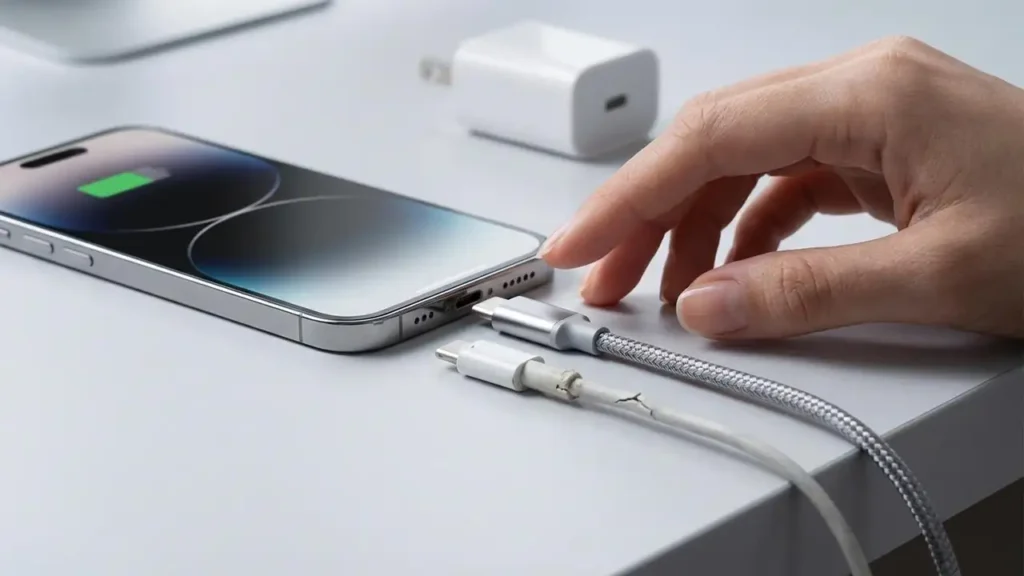
- Inspect Your Charging Cable: A faulty cable is the number one cause of slow charging. Cables can wear out, bend, or fray internally, leading to a reduced power delivery. Even if there’s no visible damage, internal wires can degrade.
- Action: Try using a different, certified charging cable. Ideally, use the original cable that came with your phone or a high-quality replacement from a reputable brand. This simple swap can often explain why is my phone charging so slow and dying fast.
- Verify Your Charging Block/Adapter: Not all charging blocks are created equal. Using an old charger, a low-power computer USB port, or a generic adapter might not provide enough wattage to charge your phone efficiently, especially if you have a modern smartphone designed for fast charging.
- Action: Use a Fast Charge wall adapter of at least 18W-20W. Check the adapter’s label for its output wattage. A higher wattage adapter can significantly improve charging speed, which is key to how to fix slow charging phone.
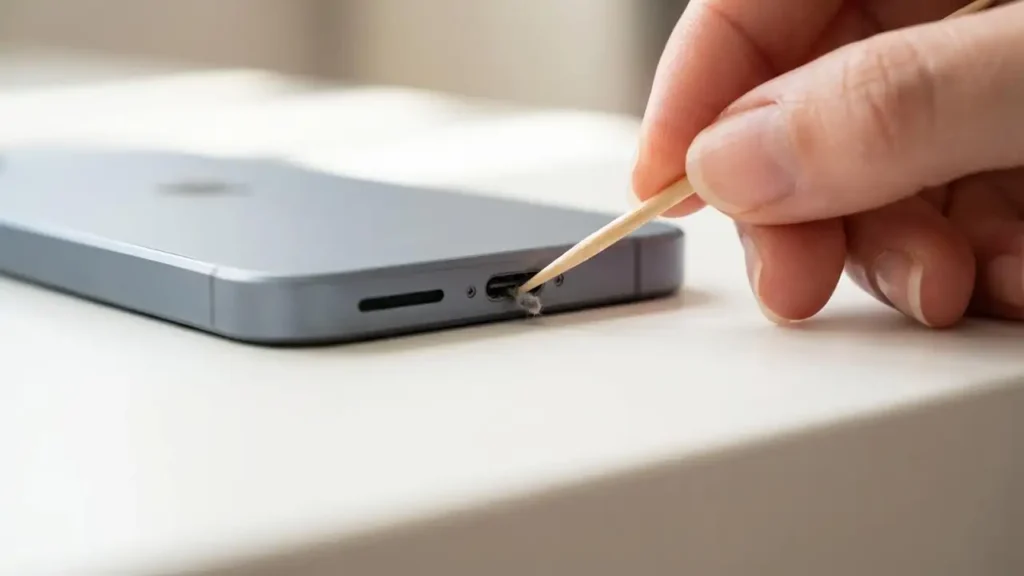
- Clean Your Phone’s Charging Port: Dust, lint, and debris can accumulate inside your phone’s charging port over time, preventing proper contact between the charging cable and the device’s pins. This can lead to intermittent charging or a significantly reduced charging rate.
- Action: Gently clean the charging port. Power off your phone first. Use a small, dry, non-metallic brush (like a soft toothbrush or an interdental brush) or a plastic toothpick to carefully remove any visible obstructions. Avoid using anything metallic that could damage the pins. This step is essential for how to clean charging port safely and effectively.
Optimize Usage and Environment to Prevent Slow Phone Charging
Your phone’s behavior and environment while charging can significantly impact how quickly it powers up. Adjusting your usage habits can offer a quick solution to how to fix slow charging phone.
- Avoid Using Your Phone While Charging: Engaging in power-intensive activities like playing games, streaming videos, or running multiple apps while your phone is plugged in will consume power almost as fast as it charges, making the process incredibly slow.
- Action: Whenever possible, put your phone down and let it charge undisturbed. If you must use it, opt for light tasks like checking emails or messages.
- Enable Airplane Mode: Network connections (cellular, Wi-Fi, Bluetooth) are major power drains. Disabling them temporarily can reduce the load on your battery and allow it to charge faster.
- Action: Swipe down from the top of your screen to access Quick Settings and tap the Airplane Mode icon. Remember to disable it once your phone is sufficiently charged.
- Manage Phone Heat: High temperatures are detrimental to battery health and charging speed. If your phone gets too hot, whether from direct sunlight, resource-intensive applications, or even fast charging itself, it will automatically slow down its charging to prevent damage.
- Action: Remove your phone case if it’s contributing to heat buildup. Move your phone to a cooler environment, away from direct sunlight or heat sources. Avoid placing it under pillows or blankets while charging. Keeping your phone cool is a vital part of how to fix slow charging phone effectively.
Advanced Settings: How to Fix Slow Charging Phone Software Issues
Sometimes, the problem lies within your phone’s software settings or the battery’s overall health. These steps delve into internal adjustments that can address slow phone charging.
Essential Battery Settings: A Step in How to Fix Slow Charging Phone
Modern smartphones often include settings to optimize or enable fast charging capabilities. Ensuring these are correctly configured can make a substantial difference.
- Enable Fast Charging (if available): Some Android models, particularly Samsung phones, have a specific setting to enable or disable fast charging. If this setting is turned off, your phone will charge at a standard, slower rate.
- Action: Navigate to your phone’s settings. For Samsung devices, this is typically found under
Settings > Device Care > Battery > Charging Settings. Look for options like “Fast charging,” “Super fast charging,” or “Adaptive fast charging” and ensure they are toggled on. If you’re wondering how to disable slow charging Android, this is also where you’d find the option.
- Action: Navigate to your phone’s settings. For Samsung devices, this is typically found under
- Review Battery Health: Over time, all rechargeable batteries degrade. After 2-3 years, a phone battery’s capacity and ability to hold a charge diminish, leading to a battery dying fast and charging slowly.
- Action: Check your battery’s health in your phone’s settings.
- For iPhones: Go to
Settings > Battery > Battery Health & Charging. Look at “Maximum Capacity.” If it’s significantly below 80%, your battery may need replacement. - For Android phones: Battery health insights vary by manufacturer. Some offer specific health metrics (
Settings > Battery > Battery Usageor similar), while others may require third-party apps for a more detailed analysis. If your phone is old and frequently showing signs of a phone charging so slow and dying fast, a degraded battery is a likely cause.
- For iPhones: Go to
- Action: Check your battery’s health in your phone’s settings.
Prevention Tips for Optimal Charging
Maintaining good charging habits can prevent future slow phone charging problems.
- Always use original or certified charging accessories.
- Avoid fully depleting your battery to 0% or regularly charging it to 100%. Aim for keeping your charge between 20% and 80% for optimal battery longevity.
- Keep your phone and charging accessories in a cool, dry place.
- Update your phone’s software regularly, as updates often include battery and charging optimizations.
Safety and Warranty Considerations
When troubleshooting your phone, always prioritize safety. Power off your device before cleaning the charging port. If you suspect internal damage or are uncomfortable performing any step, it’s best to seek professional assistance. Attempting repairs yourself might void your warranty. If after trying these steps you still have a phone charging so slow and dying fast, consider visiting a certified repair technician.
Frequently Asked Questions about Slow Phone Charging
By systematically going through these steps, you should be able to identify and resolve the issues causing your phone charging so slow and dying fast. Implementing these tips will not only answer how to fix slow charging phone but also help maintain your device’s battery health for the long term.